From Framer Template to a Real Product: Clima Case Study
A real-world case study of converting a Framer template into a production-ready Next.js application, including layout reconstruction, responsiveness fixes, and full product integration.
Building a High-Converting Landing Page for a Production App
Clima is a platform that allows creators to sell digital products directly from their bio.
The core product has payments, authentication, and backend logic which was already built and working.
But one key piece was missing: a professional, high-converting landing page.
The Challenge
At the product stage, functionality wasn’t the problem.
The issue was perception.
Without a polished landing page:
- trust is lower
- conversions drop
- the product feels unfinished
Instead of spending weeks on design, or relying on AI-generated generic pages, a faster approach was chosen.
Step 1: Using a Framer Template
A Framer template was used to quickly create a modern landing page.
This allowed:
- rapid visual upgrade
- strong first impression
- no design bottleneck
Within hours, the product looked significantly more professional.
The Problem with This Setup
While effective short-term, this created a split architecture:
- Framer → landing page
- Next.js → product logic
This led to:
- inconsistent structure
- limited flexibility
- harder long-term maintenance
- friction between marketing and product
At this stage, the setup works, but doesn’t scale well.
Before and After
The initial version was based on a Framer template:
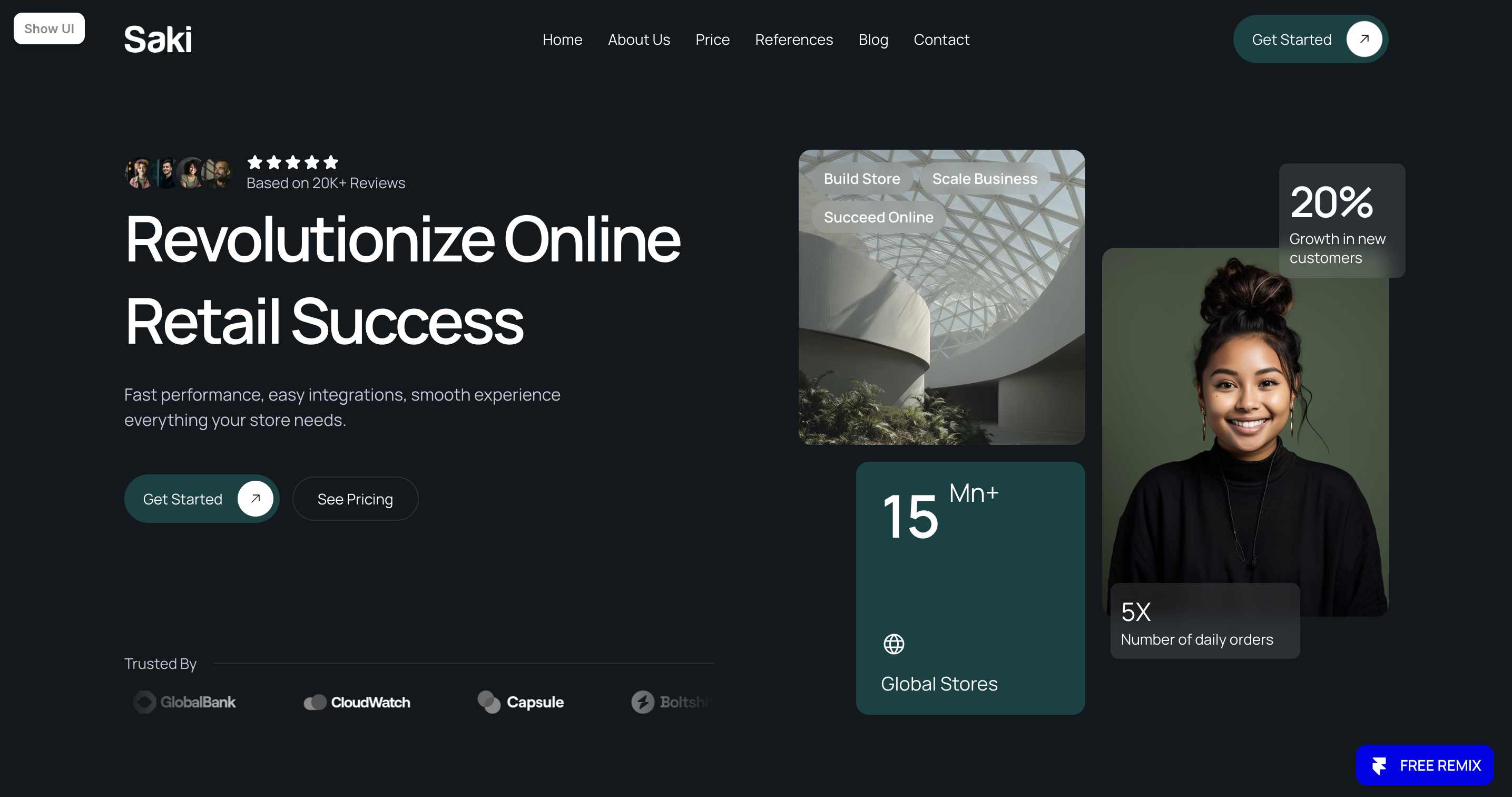
Framer template
After conversion and integration into the application:
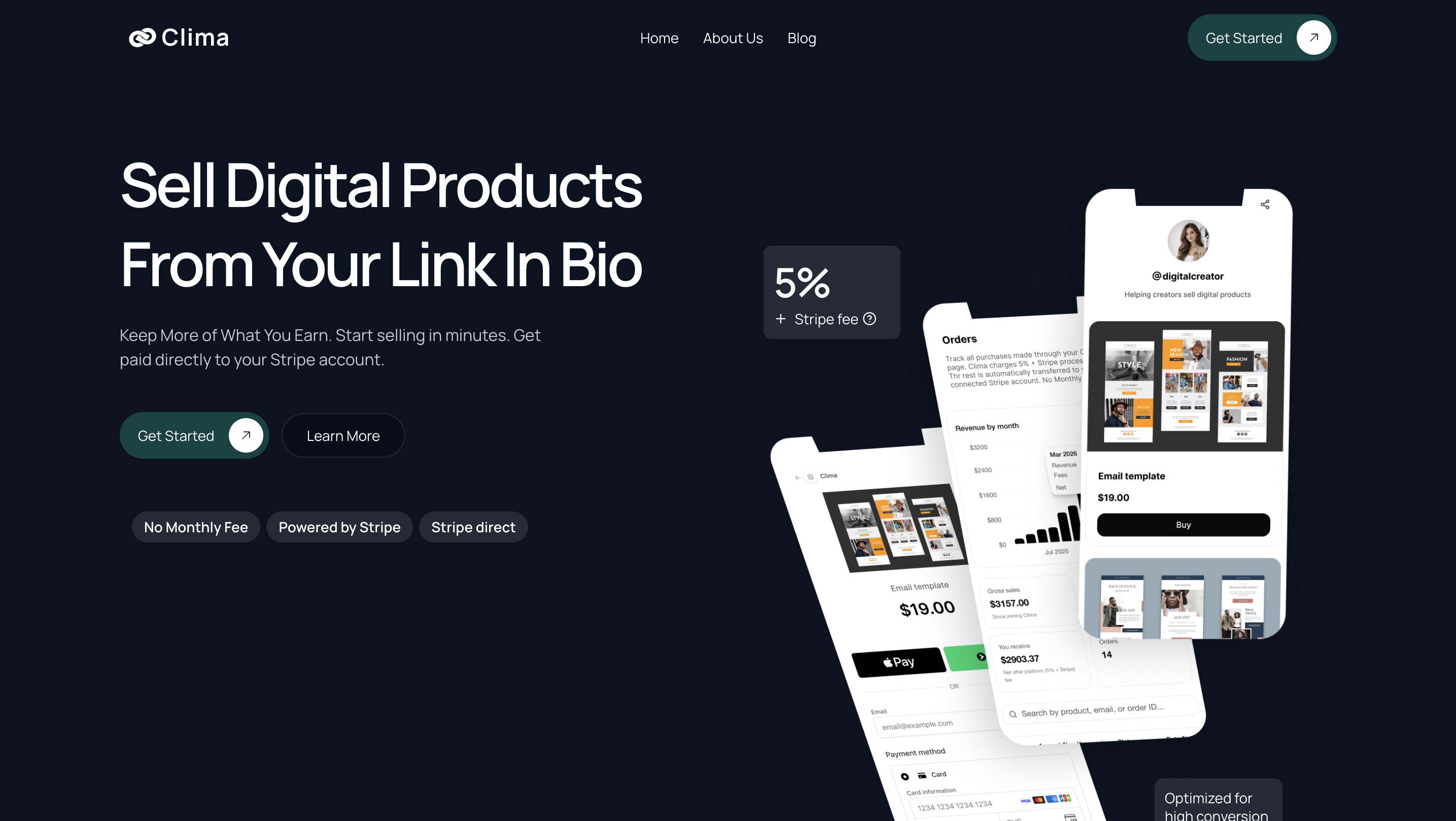
Production version (Next.js)
The goal was not to redesign, but to preserve the original design while making it production-ready.
You can view both versions here:
Original Framer template:
Saki - SaaS Template for Framer
Live production version (Clima):
Clima – Sell Digital Products From Your Link in Bio
The production version reflects the final structure, performance, and integration with real product logic.
The Goal
The objective became clear:
Keep the design quality from Framer, but move everything into a production-ready environment.
Step 2: Converting Framer to Production Code
The Framer design was converted into a Next.js application.
This was not a direct export.
The process included:
Layout reconstruction
Framer layouts were translated into clean, reusable components.
Responsiveness fixes
Breakpoints and mobile behavior were adjusted for real-world usage.
Animation handling
Framer interactions were recreated in a production-friendly way.
Recreating the top navigation bar
The original navigation from Framer didn’t translate well to smaller devices.
It looked good visually, but wasn’t practical on mobile.
The navigation was reworked to:
- improve usability on small screens
- simplify interactions
- keep the original design feel while making it functional
Code cleanup
Unnecessary wrappers and structure were optimized.
Scope of the Migration
This wasn’t just a landing page conversion.
The entire marketing layer was brought into the production application, including:
- Landing page
- About page
- Blog listing page
- Blog article pages
The goal was to maintain a consistent design system across all pages while ensuring everything works seamlessly within a single codebase.
This approach ensures that both marketing and product evolve together, without relying on separate tools or environments.
Where ConvertFramer Fits In
This type of problem appears in most projects:
A great design in Framer → but needs to become production-ready code you own and maintain.
ConvertFramer helps bridge that gap by:
- extracting Framer structure
- generating clean React / Next.js components
- reducing a significant portion of manual work
Instead of starting from scratch, it provides a strong foundation to build on.
Step 3: Integration into the Product
After conversion, the landing page was fully integrated into the main application.
This allowed:
- a single unified codebase
- consistent design and behavior
- direct connection between landing and product
No more split environments.
The Result
Clima now operates as a complete system:
- a polished landing page
- a fully functional product
- a seamless user experience from visit → purchase
This improves:
- trust
- conversion
- maintainability
This approach has become a standard process for turning Framer designs into production-ready applications.
If you’re working with a Framer template and need to turn it into a production-ready application, this is exactly the type of transition ConvertFramer is built for.
Related

Framer to Next.js: Step-by-Step Migration Guide
Migrating from Framer to Next.js is more than an export — it's a rebuild. This step-by-step guide covers exactly how to do it, what breaks along the way, and how to cut migration time from 20 hours to under 30 minutes.

Framer Export Code Limitations: What Breaks (Tested)
Framer's code export looks promising — until you try to use it. Here's exactly what breaks, what's missing, and why it's not a real codebase you can build on.

Top 10 Problems After Exporting Framer Code (And Fixes)
Framer's code export seems like a shortcut — until you open the files. Here are the 10 most common problems founders hit after exporting, and what to do about each one.